

Download News Republic – news app, news reader, personalized news, mobile news, desktop news
Overview
News Republic is a desktop application designed to deliver personalized news content in a visually engaging format. Tailored for users who want to stay informed without sifting through irrelevant headlines, the software curates news based on individual interests. It supports multiple platforms, including Windows 8 and Windows Phone, offering a consistent experience across devices.
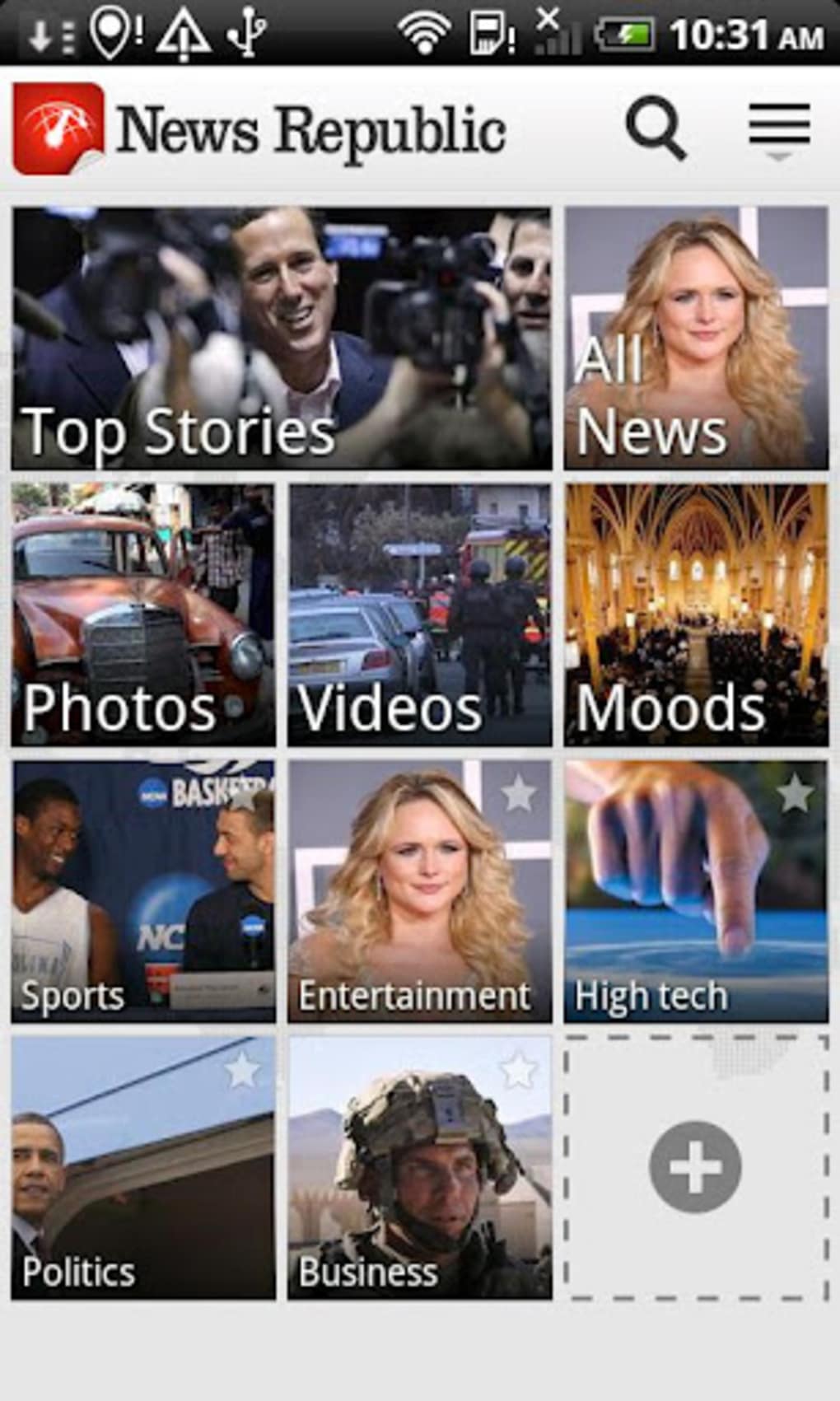
The app allows users to select from a wide range of topics such as politics, international affairs, sports, entertainment, and technology, ensuring content relevance. Users can further refine their feed by adding trusted sources like major news agencies, popular blogs, or favorite newspapers. This level of customization helps users focus on what matters most to them.
The software is particularly suited for professionals, students, and general readers seeking a streamlined way to consume current events. Its emphasis on visual clarity and intuitive organization makes it ideal for users who prefer a modern, aesthetically pleasing interface over traditional text-heavy news platforms.
Key Features & Capabilities
- Personalized News Feed – Users can select preferred topics and sources to build a custom news experience. This ensures that only relevant content appears on the main screen.
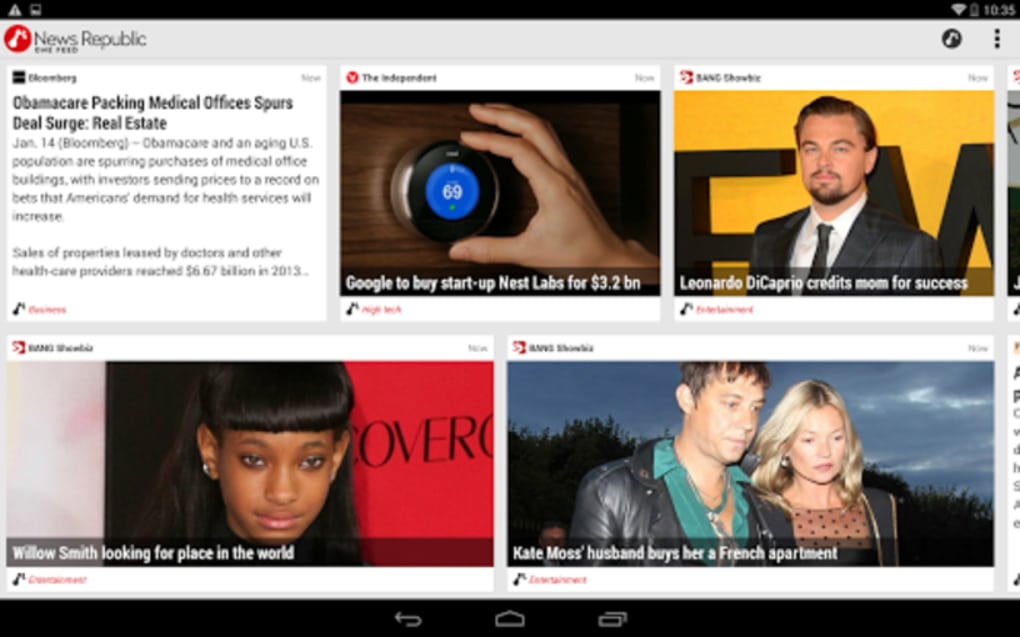
- Visual Interface with Thumbnails – Each news category is represented with a thumbnail, making navigation faster and more intuitive.
- Cloud Tags for Content Discovery – A tagging system enables users to search and locate articles based on keywords or themes across different news sources.
- Article Saving and Sharing – Users can save articles for offline reading or share them instantly via social media and messaging platforms.
- Multiplatform Availability – The software is accessible on Windows 8 and Windows Phone, allowing users to switch between devices seamlessly.
These features collectively enhance the reading experience by reducing information overload and increasing accessibility. For example, a user interested in technology can set up their feed to include only tech-related articles from trusted sources, while using cloud tags to explore trending topics. The ability to save articles ensures content remains available even without an internet connection, which is useful for commuters or travelers. The visual layout supports quick scanning, making it easier to identify important stories at a glance.
User Interface, Workflow & Performance
The user interface of News Republic is structured around a clean, modern layout with an emphasis on visual hierarchy. Navigation is achieved through a sidebar or menu system that lists selected topics and sources, allowing users to switch between categories with minimal effort. The main screen displays articles using large thumbnails and concise headlines, promoting rapid content discovery.
Workflow efficiency is enhanced by the ability to customize the home screen layout, ensuring frequently accessed topics are always visible. The software maintains a responsive interface, though exact performance metrics such as CPU or RAM usage were not specified by the developer. Stability is assumed to be consistent with typical desktop applications of its era, particularly on supported platforms.
The developer did not provide additional system requirements or performance benchmarks, so actual behavior may vary based on device configuration and network conditions.
Compatibility & System Requirements
News Republic is compatible with Windows 8 and Windows Phone. The software version is listed as 1.0, and the installation size is 22.5 MB. This indicates a lightweight application that should install quickly on supported systems.
The developer did not specify exact hardware requirements or memory usage. Compatibility information was partially provided, with no mention of Windows 10 or later versions. Users running older systems may experience limited functionality or no support.
The software is designed for desktop and mobile environments, but the desktop version appears to be optimized for Windows 8. The developer did not include information about touch interface support or screen resolution requirements.
Pros and Cons
Pros
- Visually appealing and modern interface
- Highly customizable news feed based on user preferences
- Supports multiple sources including news agencies and blogs
- Offers offline reading through saved articles
- Lightweight installation size (22.5 MB)
Cons
- Only available for Windows 8 and Windows Phone
- Version 1.0 suggests limited updates or modern features
- No information on system requirements or performance
- Not compatible with newer Windows versions
- Limited platform support compared to modern alternatives
FAQ Section
Is News Republic available for Windows 10 and Windows 11?
The software is officially compatible with Windows 8 and Windows Phone. No information was provided about support for Windows 10 or Windows 11.
Is News Republic free to download and use?
Yes, News Republic is available at no cost. The price is listed as free, and there are no in-app purchases mentioned in the provided details.
Can I use News Republic offline?
Yes, users can save articles for later reading, which allows access to content without an internet connection.
Does News Republic require an internet connection to function?
While the app requires an internet connection to download and update news content, it supports offline reading of saved articles.
How often are news updates available?
The update frequency depends on the sources selected by the user and the integration with news providers. No specific update intervals were provided.
Final Thoughts
News Republic presents a visually driven, user-friendly approach to consuming news on desktop and mobile platforms. Its ability to personalize content and organize information through thumbnails and cloud tags makes it stand out among basic news readers. The lightweight design and free access enhance its appeal, especially for users who value aesthetics and simplicity.
However, its compatibility is limited to Windows 8 and Windows Phone, which may restrict its usability on modern systems. With version 1.0 and no recent updates, the software may lack features found in contemporary alternatives. Despite these limitations, it remains a viable option for users still operating on Windows 8 or seeking a minimalist news experience.
For those who prioritize visual presentation and customization, News Republic offers a compelling solution. Download News Republic now.






.png)
